| Item | Detail |
|---|---|
| Document reference | JHC-UG-13 |
| Version | 0.1 |
| Status | Draft for review · Internal (shows approval steps) |
| Prepared | 27 October 2026 |
| Application version documented | Portal 0.3.0, commit 4d7b861 plus uncommitted working-tree changes of 27 Oct 2026 |
| Document owner / approver | To be assigned |
| Related documents | JHC-UG-01, JHC-UG-02, JHC-SOP-01, JHC-SOP-02 |
Table 1: Revision history
| Version | Date | Change | By |
|---|---|---|---|
| 0.1 | 27 Oct 2026 | Seven worked examples | Prepared with Claude (AI assistant) for JHC review |
About these examples
Every company, person, route, cargo and price is fictional. References start with TEST-. Amounts are shown only where the portal calculated them on screen or in an automated test; nothing has been calculated by hand except where marked "illustration of the configured rule". Each example lists: the customer's request, the input screen, submission, the reference, staff action, the decision, the final status, and completion checks.
Table 2: Examples and how they were verified
| Example | Services | Verified how |
|---|---|---|
| EX-01 | Sea freight (FCL export) plus container haulage | Performed in the capture run, 27 Oct 2026 |
| EX-02 | Warehouse pallet storage at an agreed rate | Automated test tests/connected/stage7.spec.ts; picture from docs/guide |
| EX-03 | Air freight needing additional information | Performed in the capture run |
| EX-04 | Production: labelling | Rate import performed; enquiry and quotation not performed (B) |
| EX-05 | Rate returned, corrected and approved | Performed in the capture run |
| EX-06 | Quotation returned, approved, issued, accepted, then revised | Performed in the capture run |
| EX-07 | AI-assisted enquiry (practice assistant) | Performed in the capture run (practice assistant, not AI) |
EX-01 Sea freight plus haulage
- Request: Ana Buyer (Demo Customer A) needs 2 × 40HC exported from Port Klang to Singapore, with container haulage (prime mover 40 ft, 1 stop), cargo "Office furniture on pallets", her PO-GUIDE-01, and a packing list.
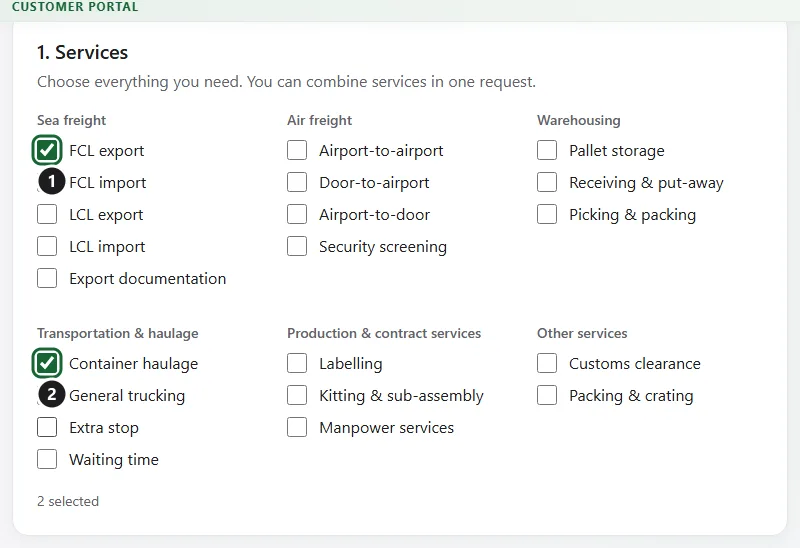
- Input: Request a quotation → tick FCL export and Container haulage → service details → contact details → attachment.
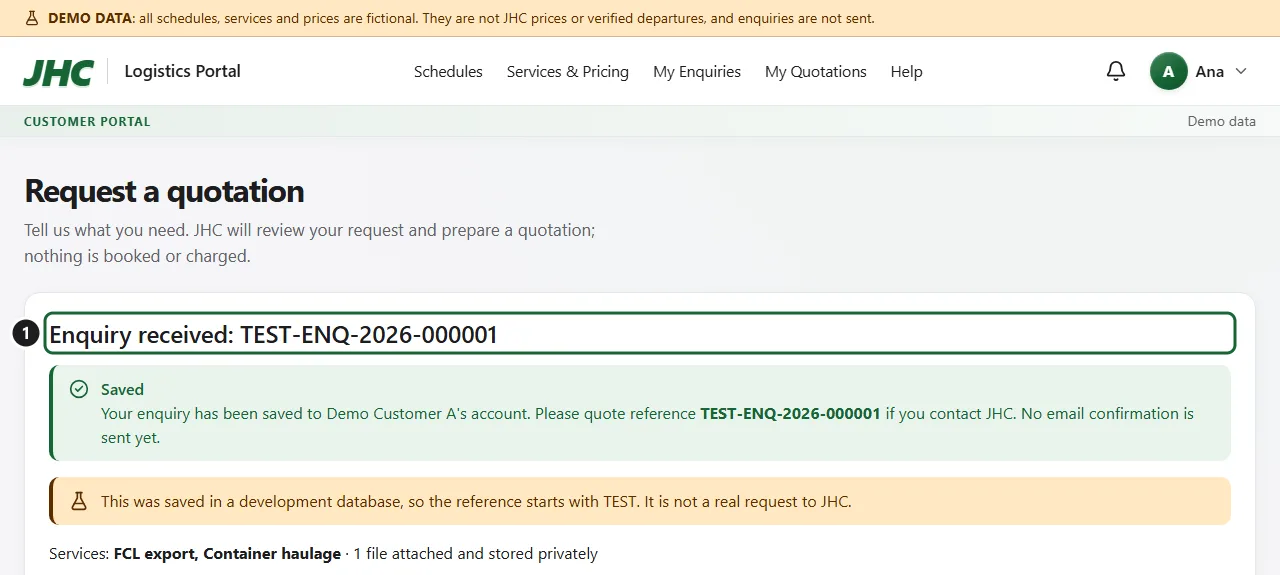
- Submission and reference: Submit enquiry → "Enquiry received: TEST-ENQ-…".
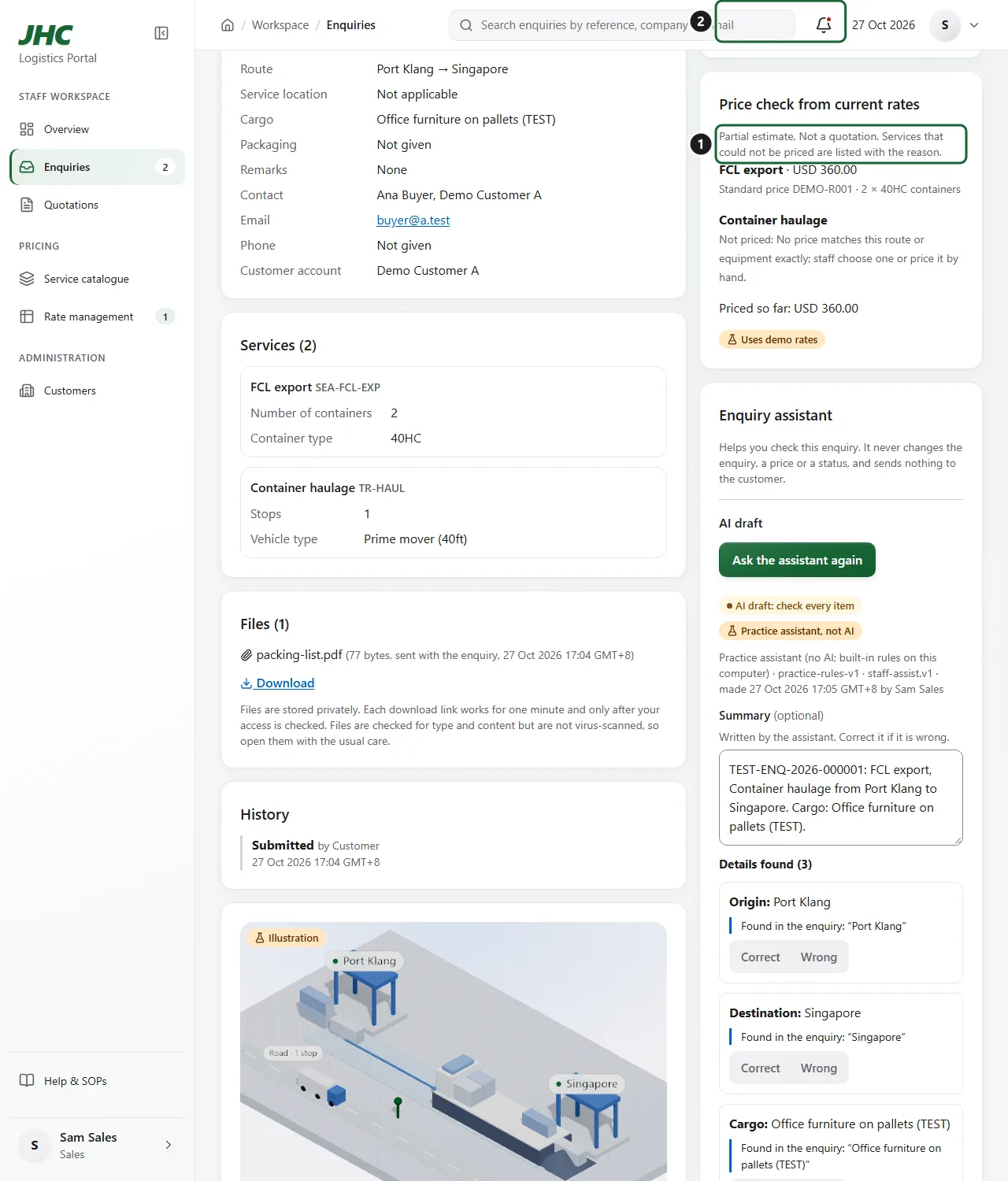
- Staff action: Sales opens the enquiry; the practice assistant drafts a summary; the price check prices both services from published rates.
- Decision: Create quotation → add both services → validity and terms → submit → approval (see EX-06).
- Final status: quotation issued; customer indicated acceptance; enquiry Quotation prepared.
- Completion checks: both services on the quotation; quantities in the rate's units; currencies not mixed; customer response recorded; enquiry closed after operational confirmation.
EX-02 Warehouse storage at an agreed rate
- Request: pallet storage, 20 pallets for 3 months, with FCL export, for Demo Customer A (PO-QUOTE-1).
- Input and reference: as EX-01, ticking Pallet storage (storage unit, quantity, duration, service location).
- Staff action: the price check uses the customer's agreed price before the standard price: "Agreed price … 20 pallets × 3 months", MYR 1,500.00 (calculated by the portal; verified by the automated test).
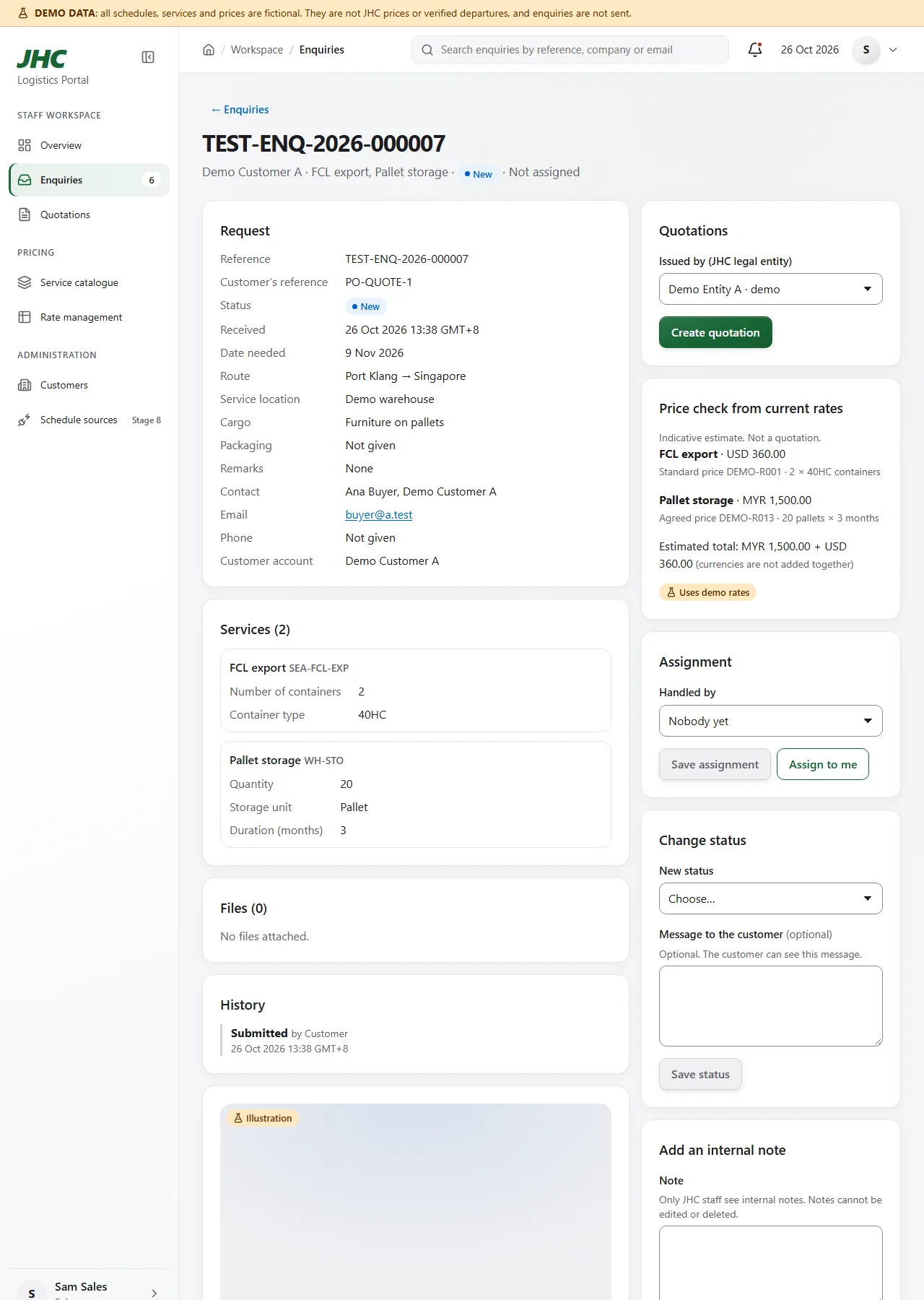
- Decision: quotation with FCL export (USD) and pallet storage (MYR); totals stay per currency.
- Final status: issued, then accepted by the customer (automated tests stage7 and stage9).
- Completion checks: agreed price used; quantity 60 (pallet-months); no other customer's price; no supplier cost on the PDF.
EX-03 Air freight needing additional information
- Request: air freight, airport to airport, KUL → Tokyo Narita, 6 pieces, 180 kg, 60 × 40 × 40 cm, "Electronic spare parts". Dangerous goods? answered unsure.
- Submission: reference TEST-ENQ-….
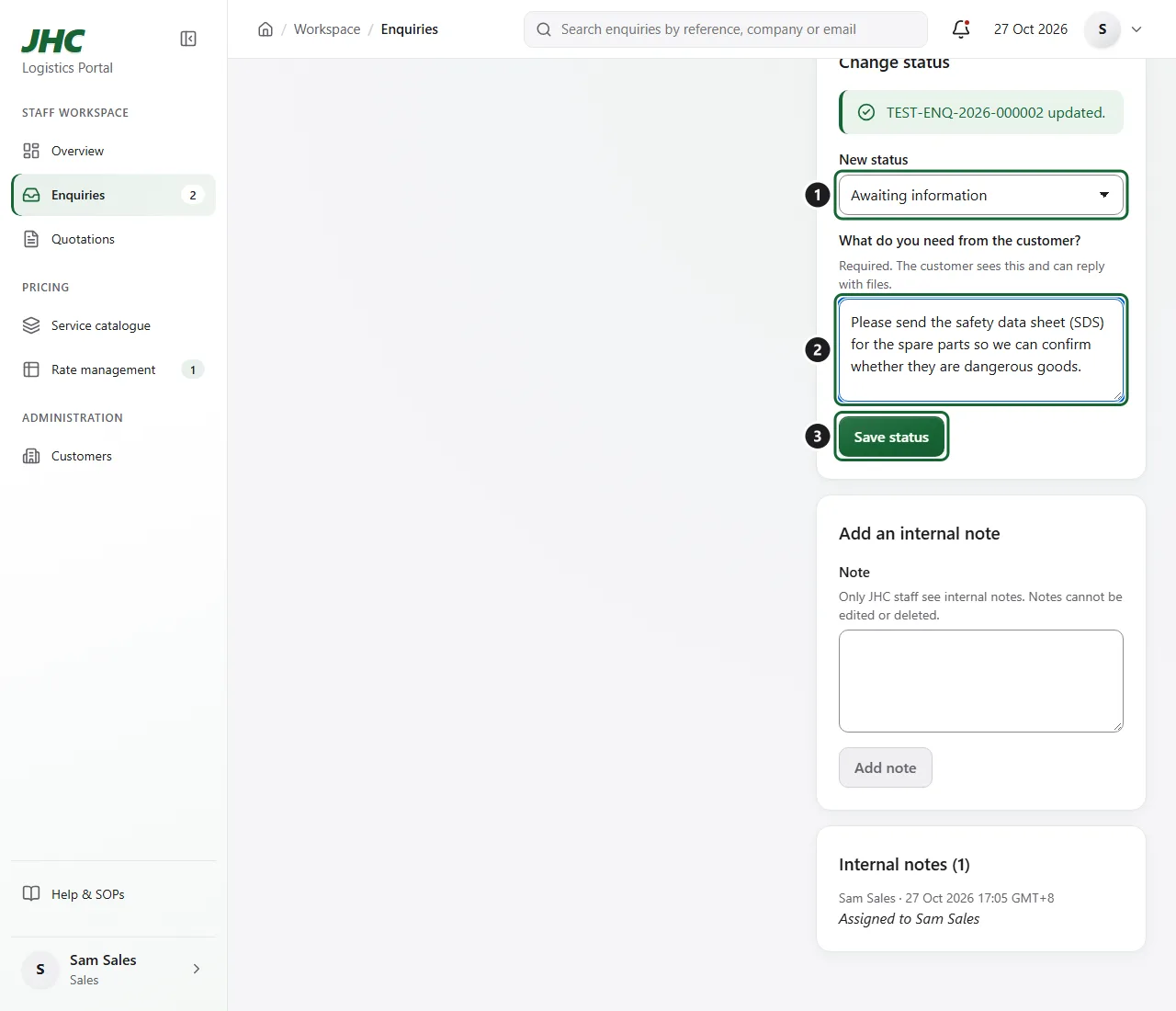
- Staff action: Sales assigns it, reviews the missing-information list, sets Under review, then Awaiting information: "Please send the safety data sheet (SDS) for the spare parts so we can confirm whether they are dangerous goods."
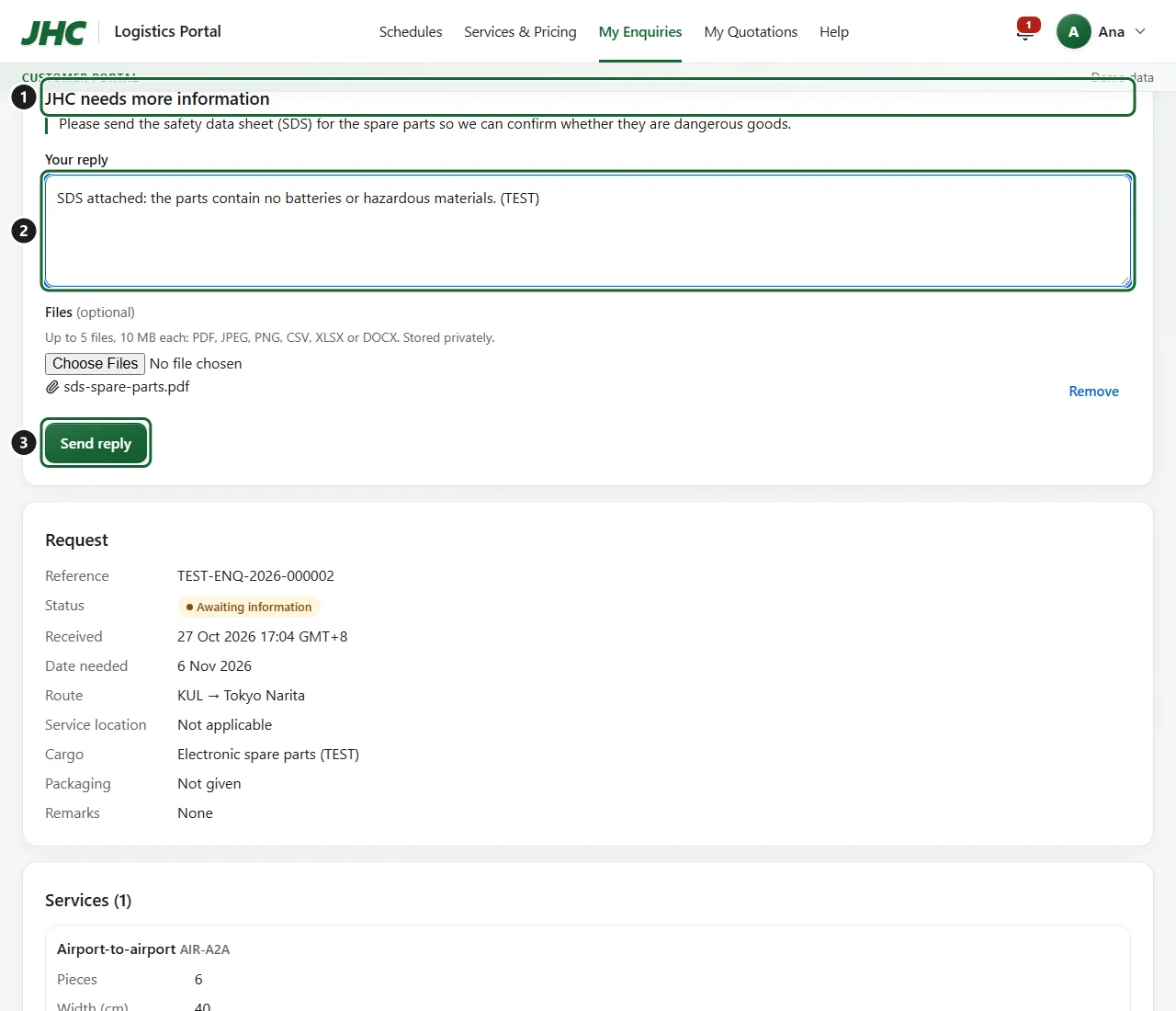
- Customer reply: "SDS attached: the parts contain no batteries or hazardous materials." with the SDS file → status back to Under review.
- Decision: if the air volumetric factor is not configured, the price check cannot calculate chargeable weight. Sales enters the quantity or prices by hand (STF-09).
- Final status: quotation prepared and issued (as EX-06), or the enquiry closed if the customer withdraws.
- Completion checks: SDS stored with the enquiry; dangerous-goods status confirmed in a note; chargeable-weight basis stated in the assumptions.
EX-04 Production: labelling
- Request: apply one label per carton to 100 cartons at the Demo warehouse.
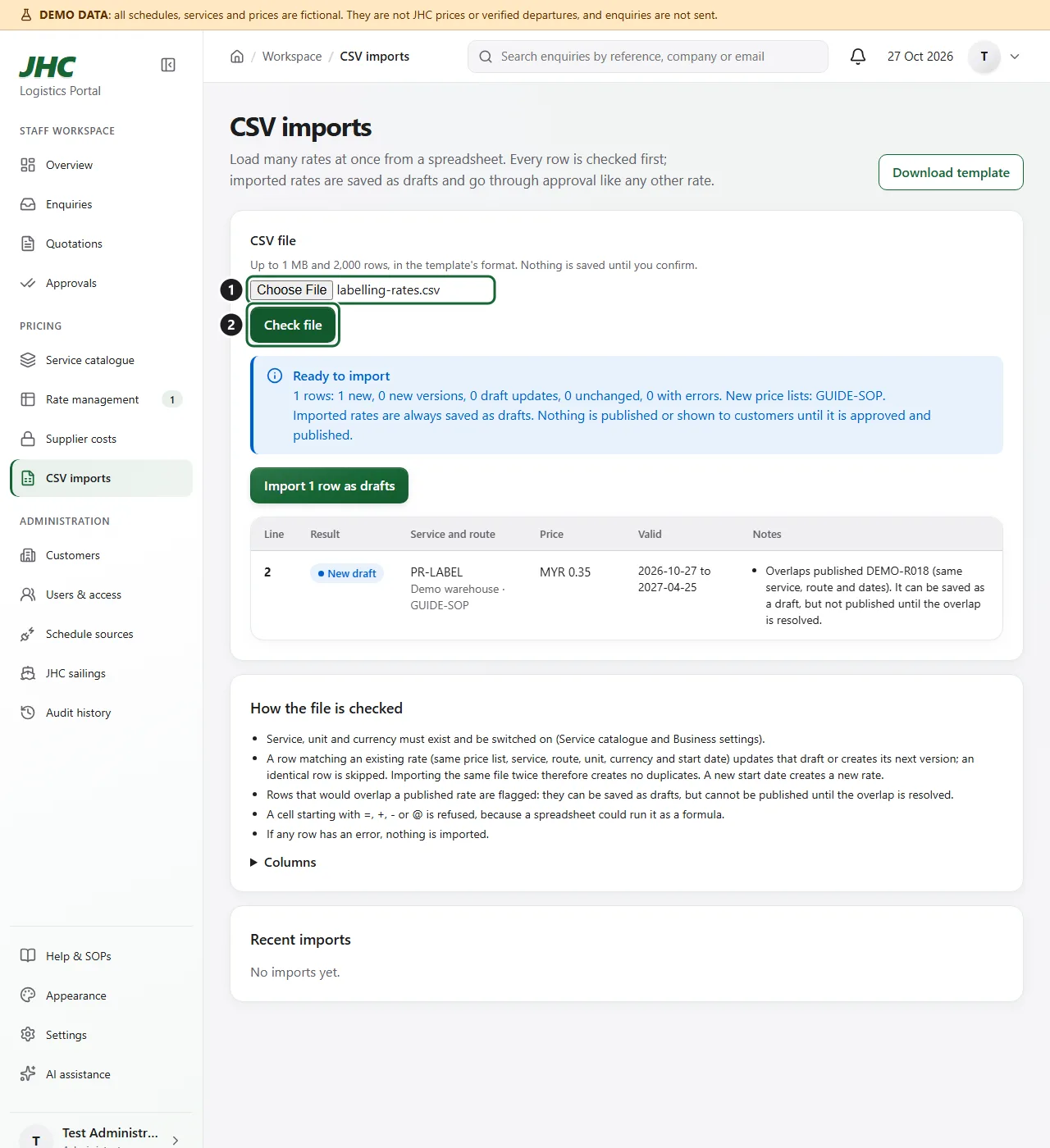
- Rate (performed): the Pricing manager imported a draft rate for Labelling (PR-LABEL): MYR 0.35 per unit, minimum charge MYR 50.00, on the fictional price list GUIDE-SOP. It must still be submitted, approved and published.
- Enquiry and quotation: not performed for this manual (status B).
- Illustration of the configured rule (not a portal output): 100 × MYR 0.35 = MYR 35.00, which is below the minimum charge, so the line would be MYR 50.00. The portal applies a minimum quantity first, then the minimum charge (PRICING_RULES.md §3).
- Completion checks: rate published before quoting; minimum charge visible on the line; unit "UNIT" matches the quantity.
EX-05 Rate returned, corrected and approved
- Request: Pricing adds "Extra stop", Shah Alam → Port Klang, MYR 60.00 per stop, valid 180 days, on the demo transport card.
- Input: rate editor → Save as draft → Submit for approval.
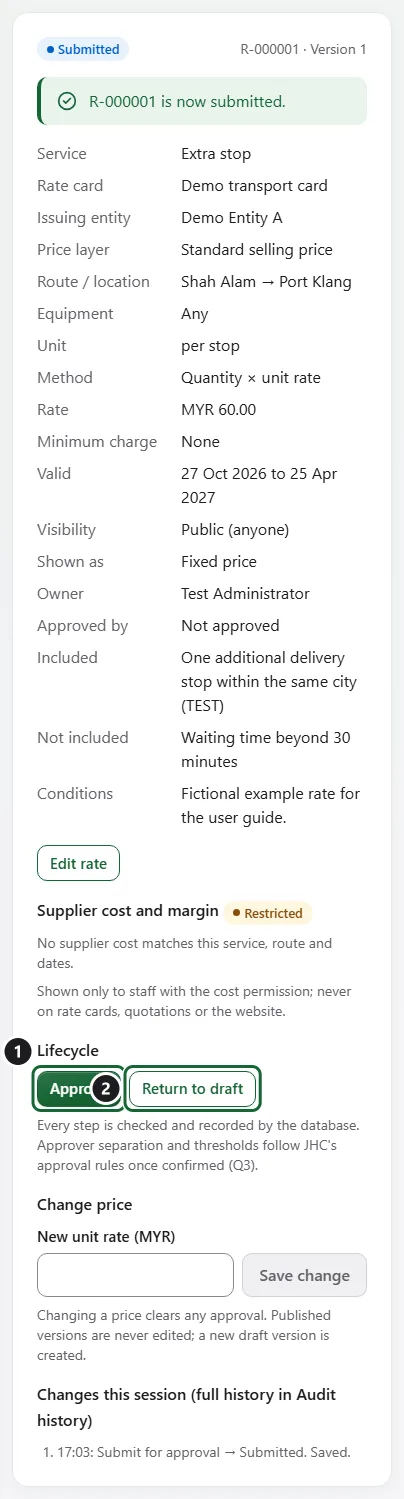
- Decision 1: the approver selects Return to draft (price too low).
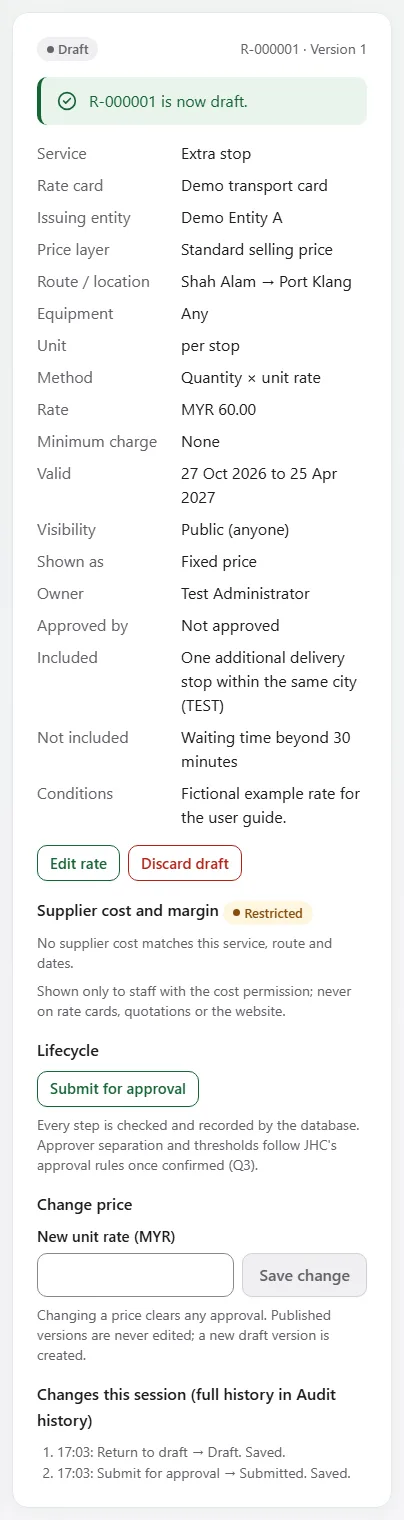
- Correction: New unit rate 65 → Save change → Submit for approval.
- Decision 2: Approve → Publish.
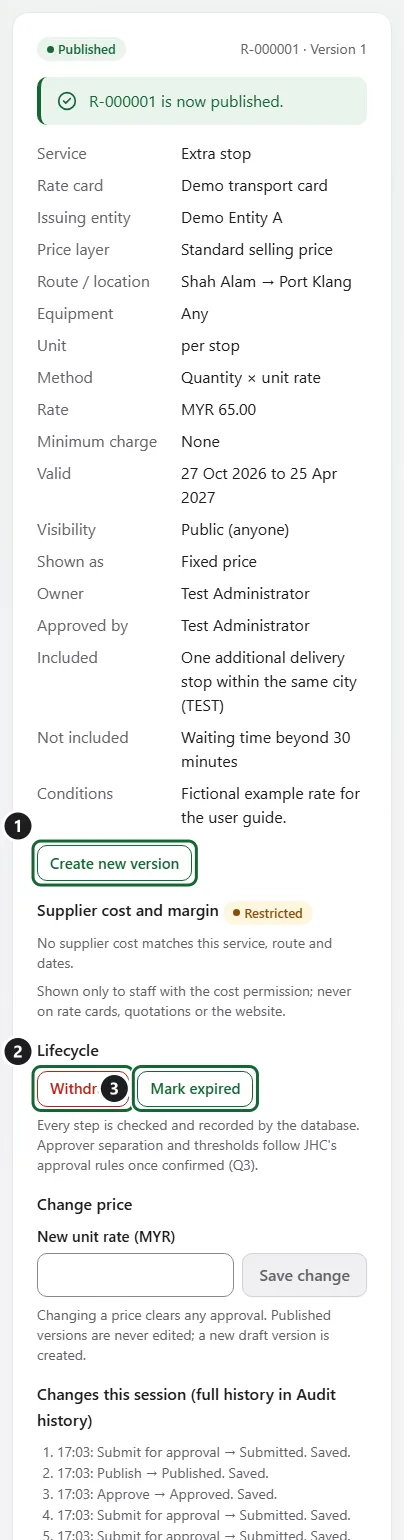
- Exception seen while preparing this example: the same rate without a route was refused at publication: "Not published: it would overlap DEMO-R016 for the same service, route and dates. Resolve the overlap first." Giving it its own route resolved it.
- Completion checks: status Published at MYR 65.00; history shows submit, return, submit, approve, publish. (Whether visitors see it depends on the rate's visibility and the public price types; not checked in this example.)
EX-06 Quotation returned, approved, issued, accepted, then revised
- Prepared: Sales creates the quotation for EX-01, adds lines, validity and terms, and submits it.
- Decision 1: the Sales manager (Mia Manager, fictional) writes "Please add the customer's PO number to the note and check the validity date." and selects Return for changes.
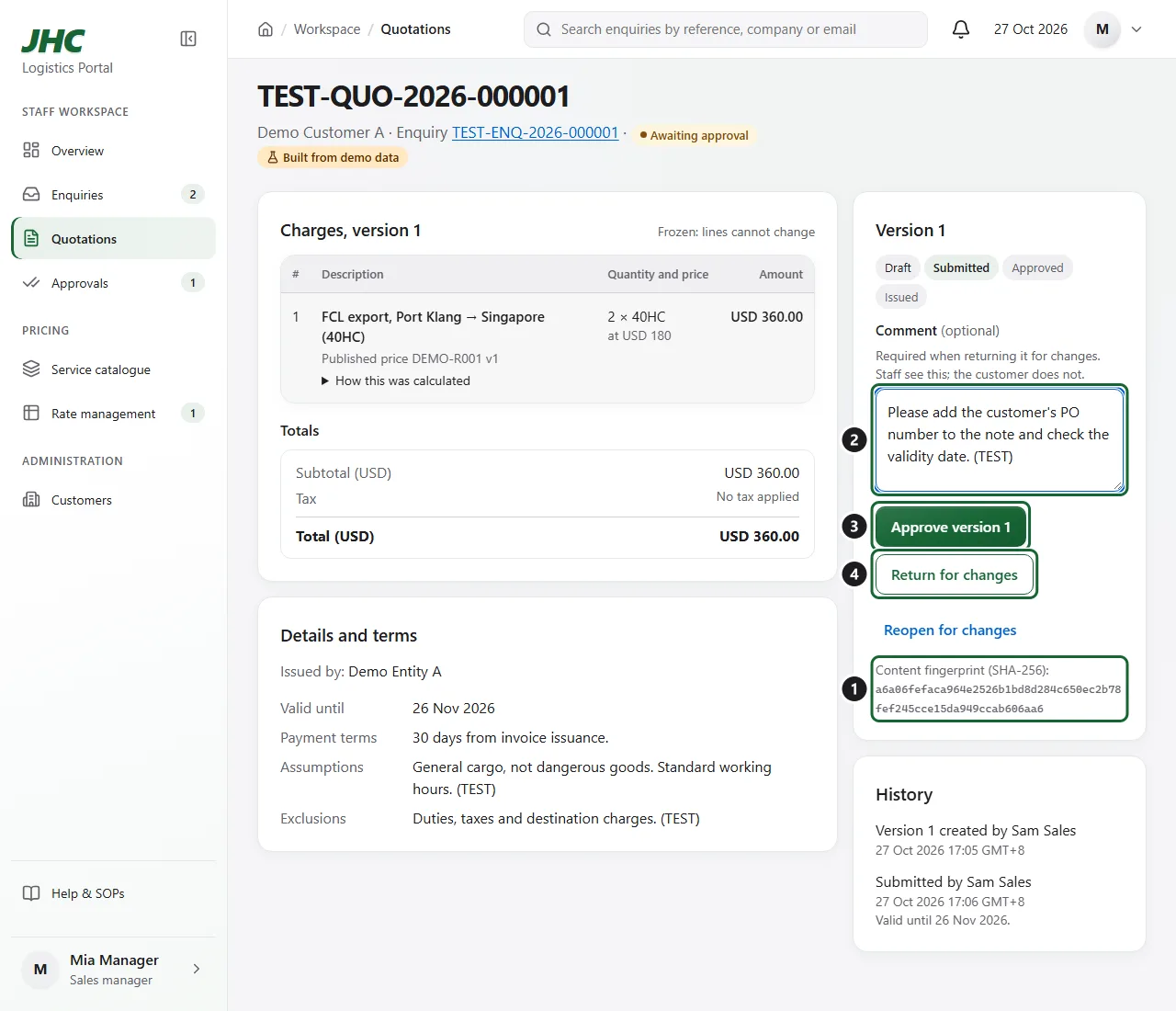
- Correction: Sales adds the note "Customer reference PO-GUIDE-01.", saves, and submits again.
- Decision 2: Approve version 1.
- Issue: Sales ticks the confirmation → Issue quotation: PDF stored.
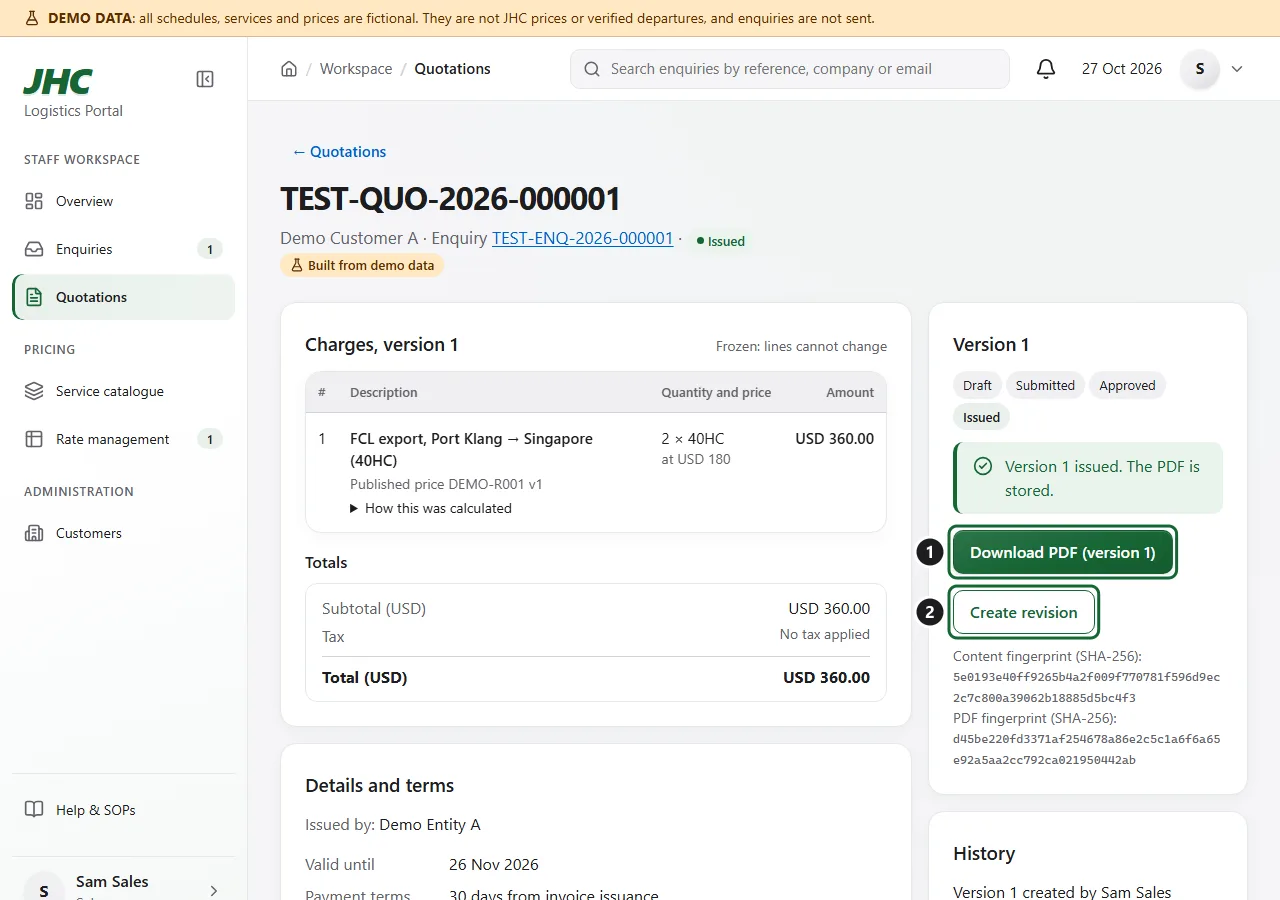
- Customer: Indicate acceptance with "please arrange collection in week 3".
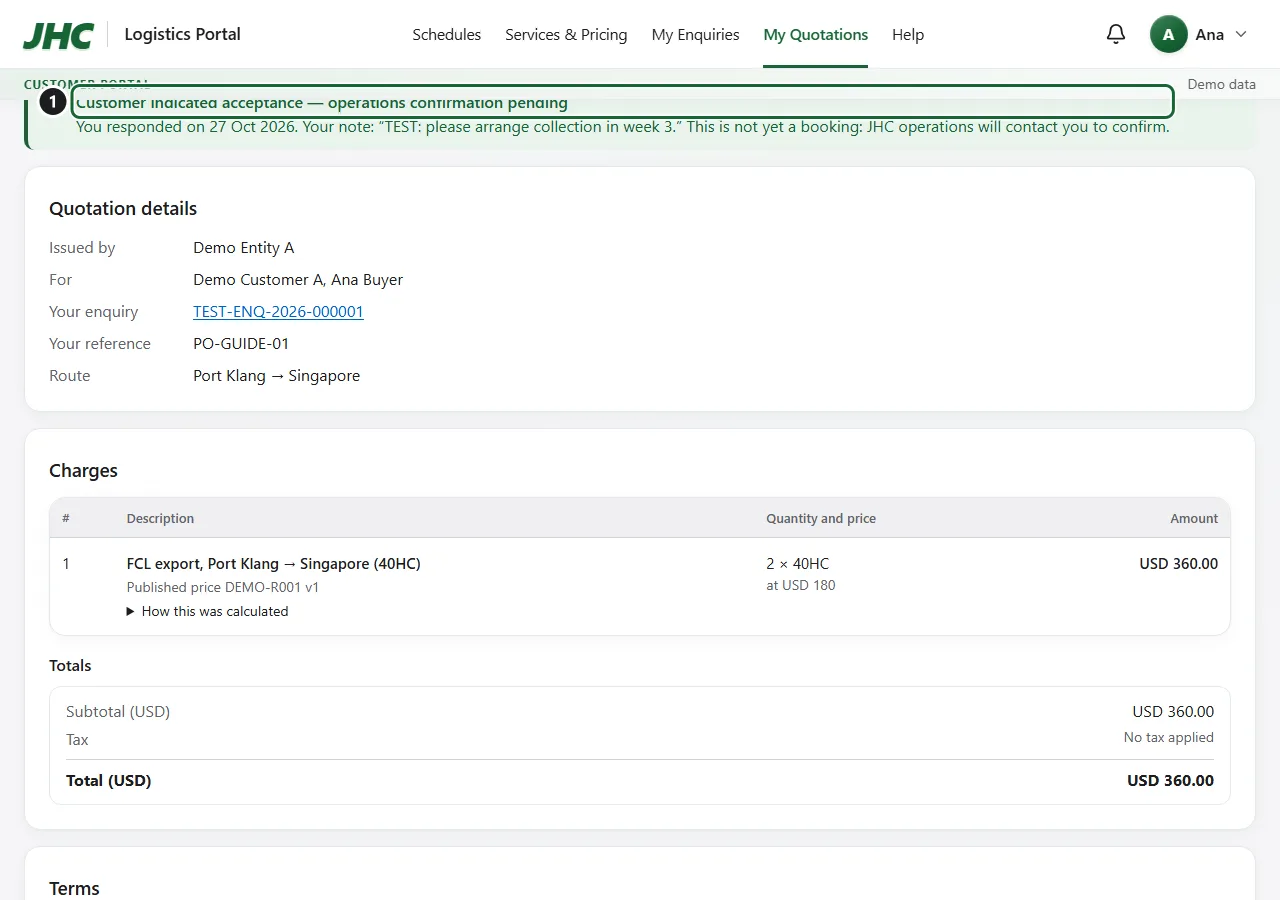
- Revision: Sales selects Create revision → version 2 (draft). Version 1, as issued and accepted, is unchanged.
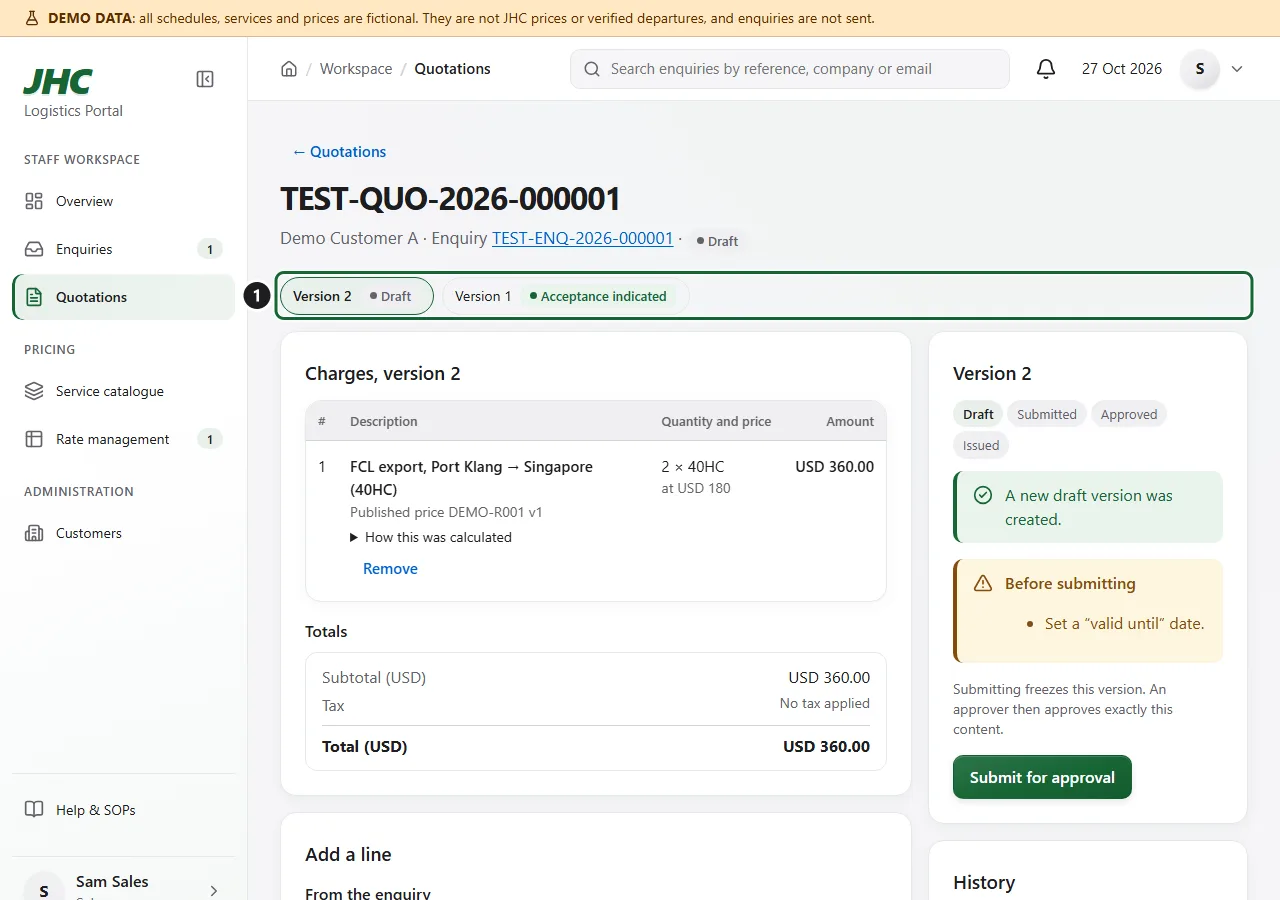
- Completion checks: version 1 issued and unchanged; approval by someone other than the preparer; response recorded; version 2 must be approved and issued before the customer sees it.
EX-07 AI-assisted enquiry (practice assistant, not AI)
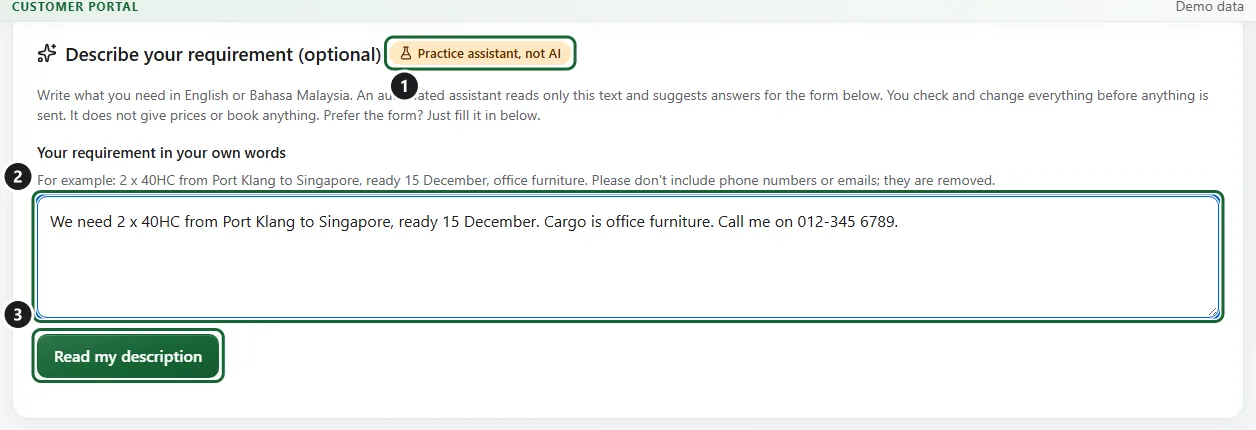
- Request (customer's words): "We need 2 x 40HC from Port Klang to Singapore, ready 15 December. Cargo is office furniture. Call me on 012-345 6789."
- Input: Describe your requirement → Read my description.
- Checks and review: suggestions shown with "From your words"; the phone number was masked before processing; You will still need to fill in lists name, company and email.
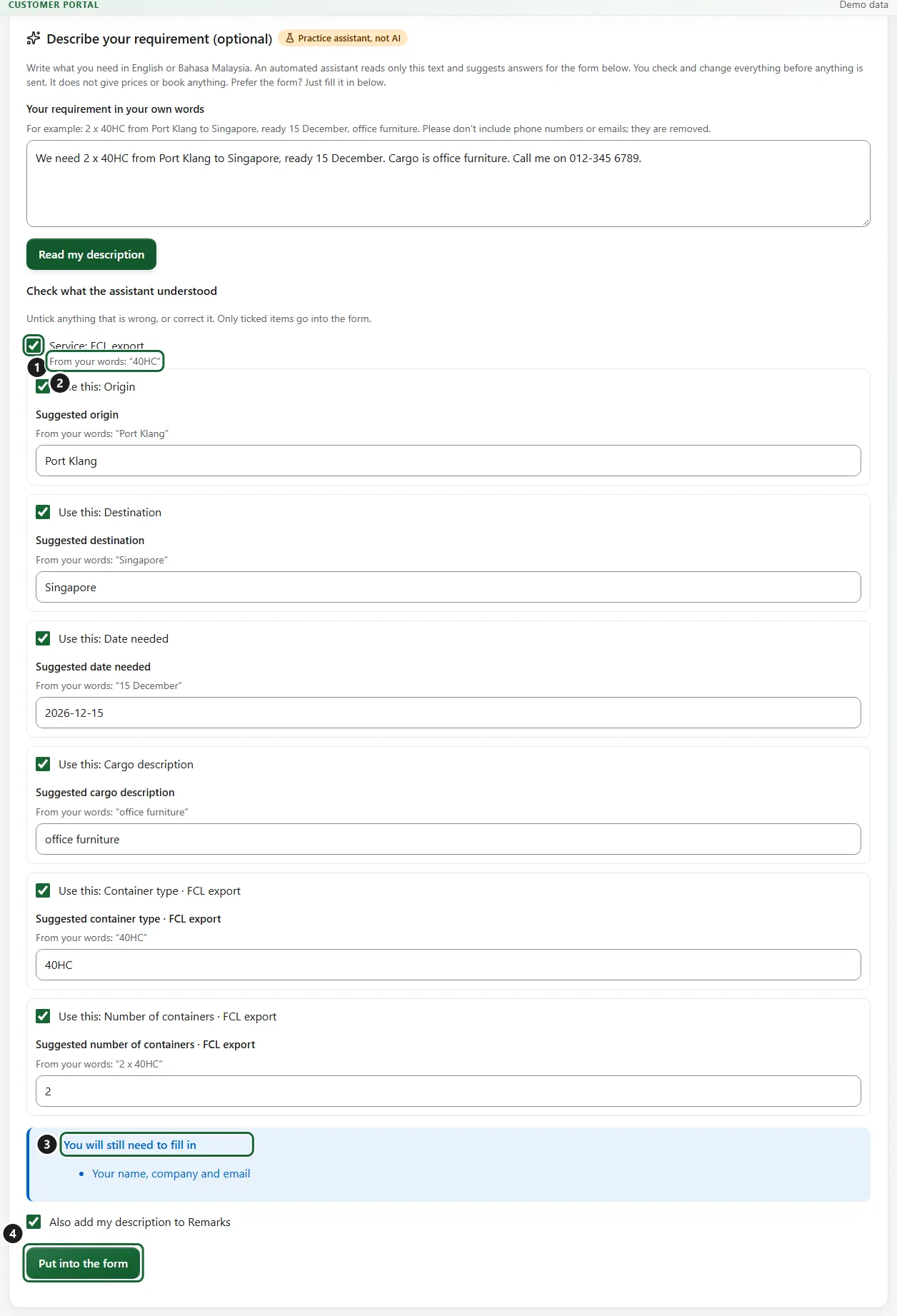
- Confirmation: Put into the form → the customer completes the form → Submit enquiry (as EX-01).
- Completion checks: every value seen by the customer before submission; nothing sent before Submit enquiry; no price from the assistant.