| Reference | Version | Status | Prepared | Application | Owner / approver |
|---|---|---|---|---|---|
| JHC-QS-02 | 0.1 | Draft for review · Internal | 27 Oct 2026 | Portal 0.3.0 (4d7b861 + working tree) | To be assigned |
Revision 0.1 (27 Oct 2026): first issue. Full instructions: Staff User Manual (JHC-UG-02).
1. Pick up and check an enquiry
- Enquiries → filter or search → open the reference.
- Assign to me.
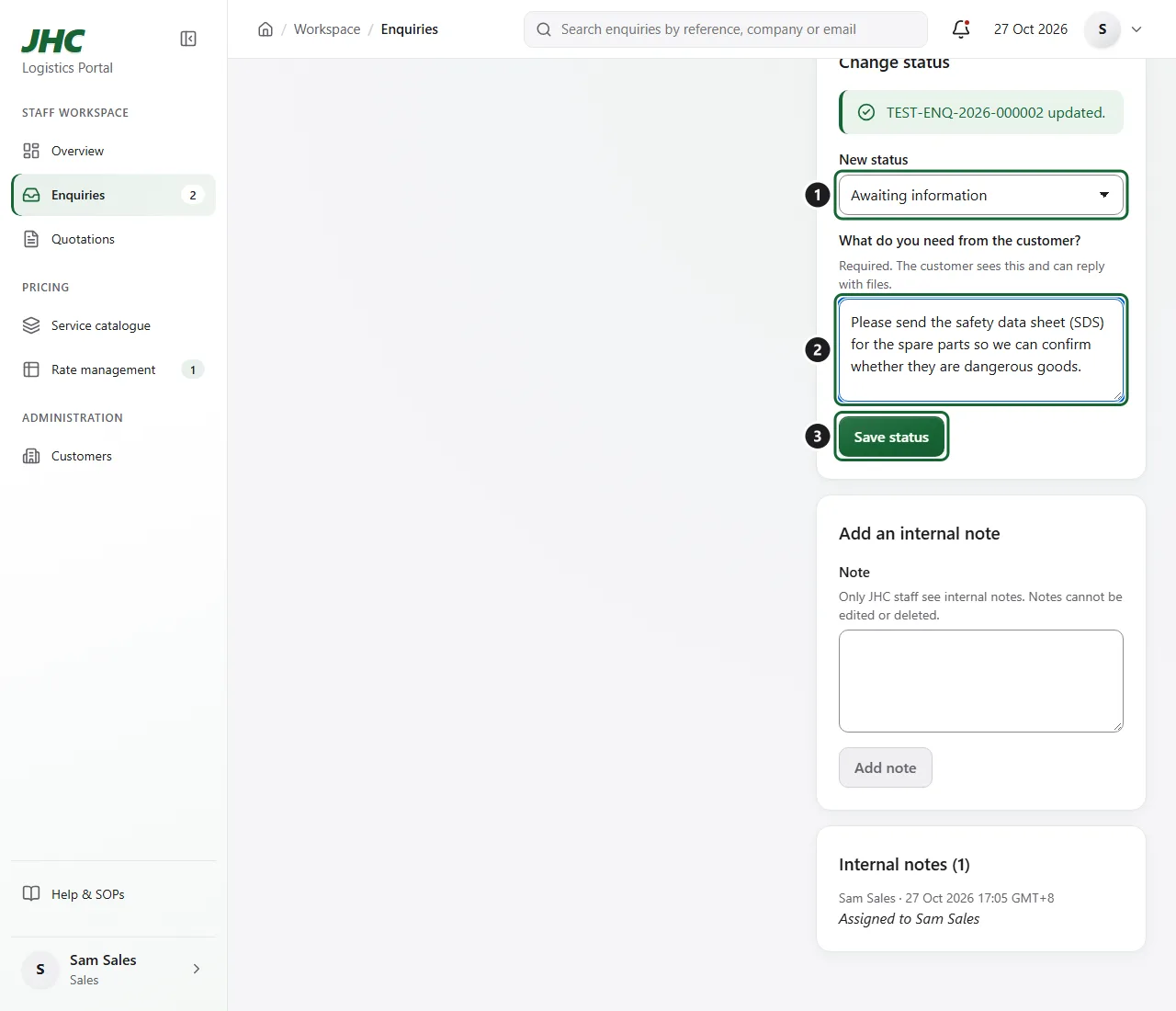
- Read the Missing information list. If something is needed: New status → Awaiting information, write the question, Save status.
2. Price and quote
- Read Price check from current rates (indicative only).
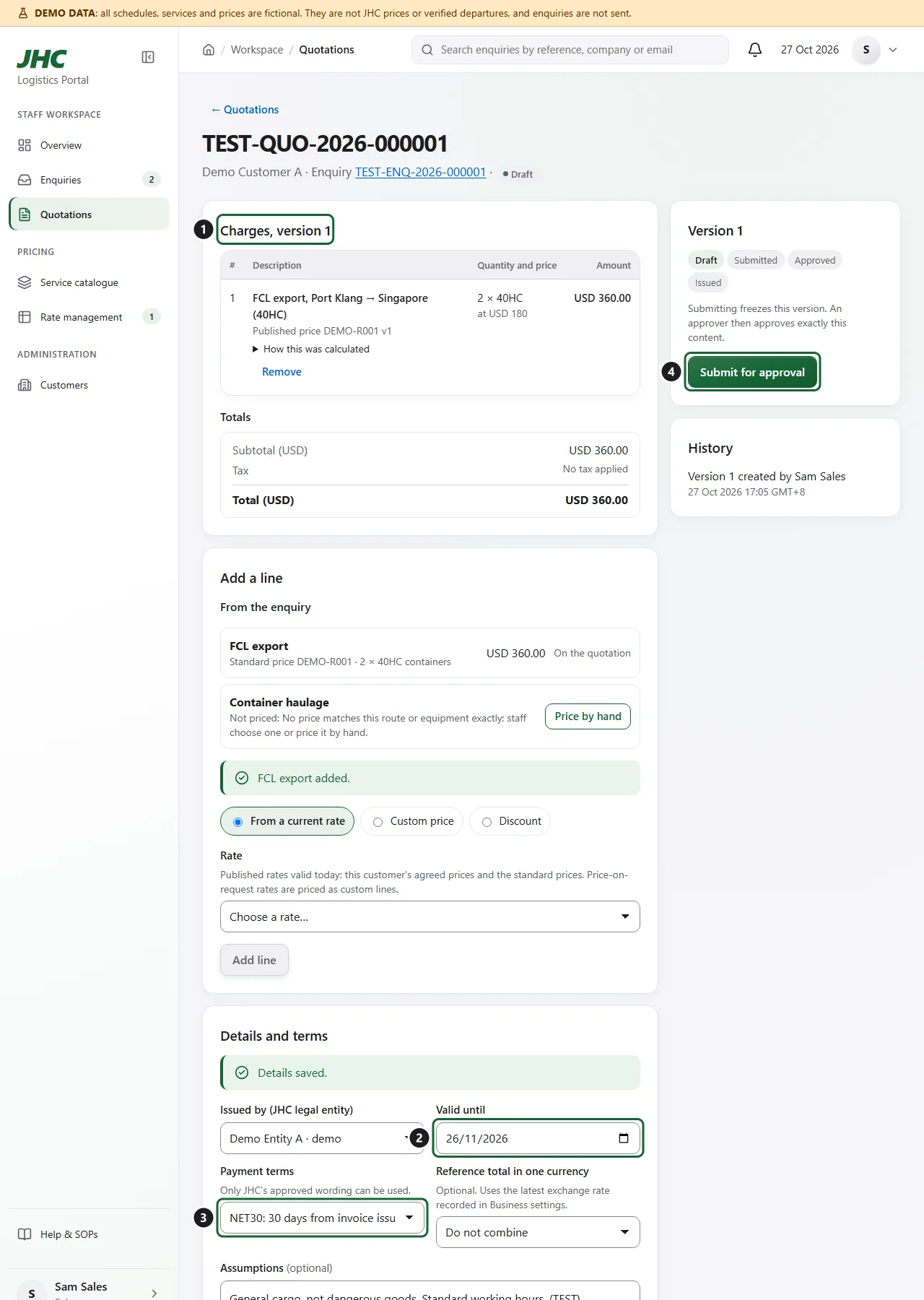
- Create quotation → Add service for priced services; enter quantities or price by hand for the rest.
- Set Valid until, Payment terms, assumptions and exclusions → Save details.
- Submit for approval. You cannot approve your own version.
3. After approval
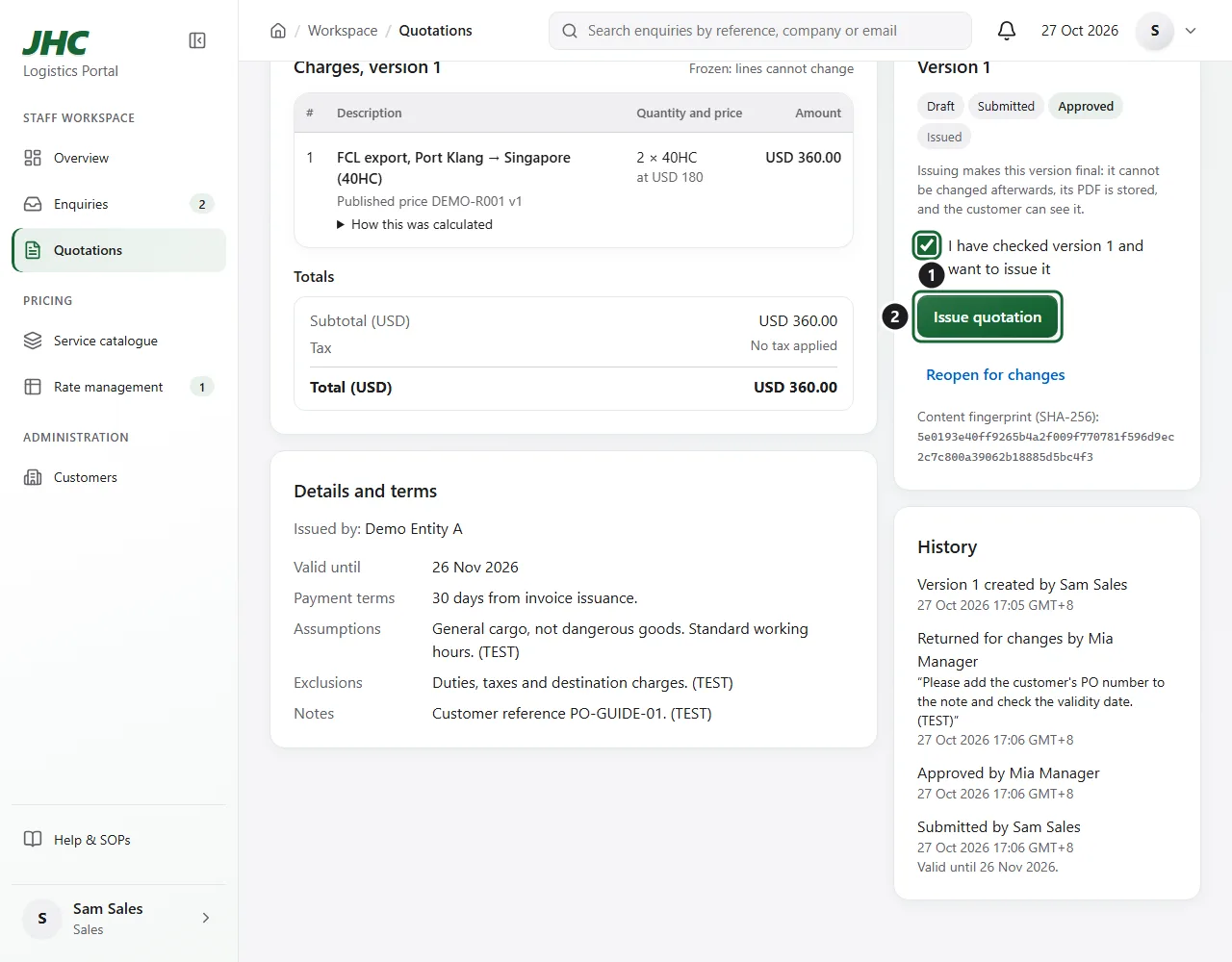
- Tick I have checked version N and want to issue it → Issue quotation.
- Download PDF if you want to send it; the portal sends no email. The customer also sees it in My Quotations.
- Watch for the customer's response: "Customer indicated acceptance — operations confirmation pending". Confirm outside the portal.
- Changes after issue: Create revision (the issued version stays unchanged).
- Finished: New status → Closed.
Approvers (Sales manager, Administrator): Approvals → open → check → Approve version N, or write a Comment → Return for changes.