| Reference | Version | Status | Prepared | Application | Owner / approver |
|---|---|---|---|---|---|
| JHC-QS-03 | 0.1 | Draft for review · Internal | 27 Oct 2026 | Portal 0.3.0 (4d7b861 + working tree) | To be assigned |
Revision 0.1 (27 Oct 2026): first issue. Full instructions: Pricing and Quotation SOP (JHC-SOP-02).
1. Add or change a rate
- Rate management → New rate (or open a published rate → Create new version).
- Choose Price list (standard or the customer's), Service, route, How it is charged, Unit, Currency, rate, validity, How the price is shown, terms.
- Save as draft → Submit for approval.
- Approver: Approve or Return to draft. Then Publish.
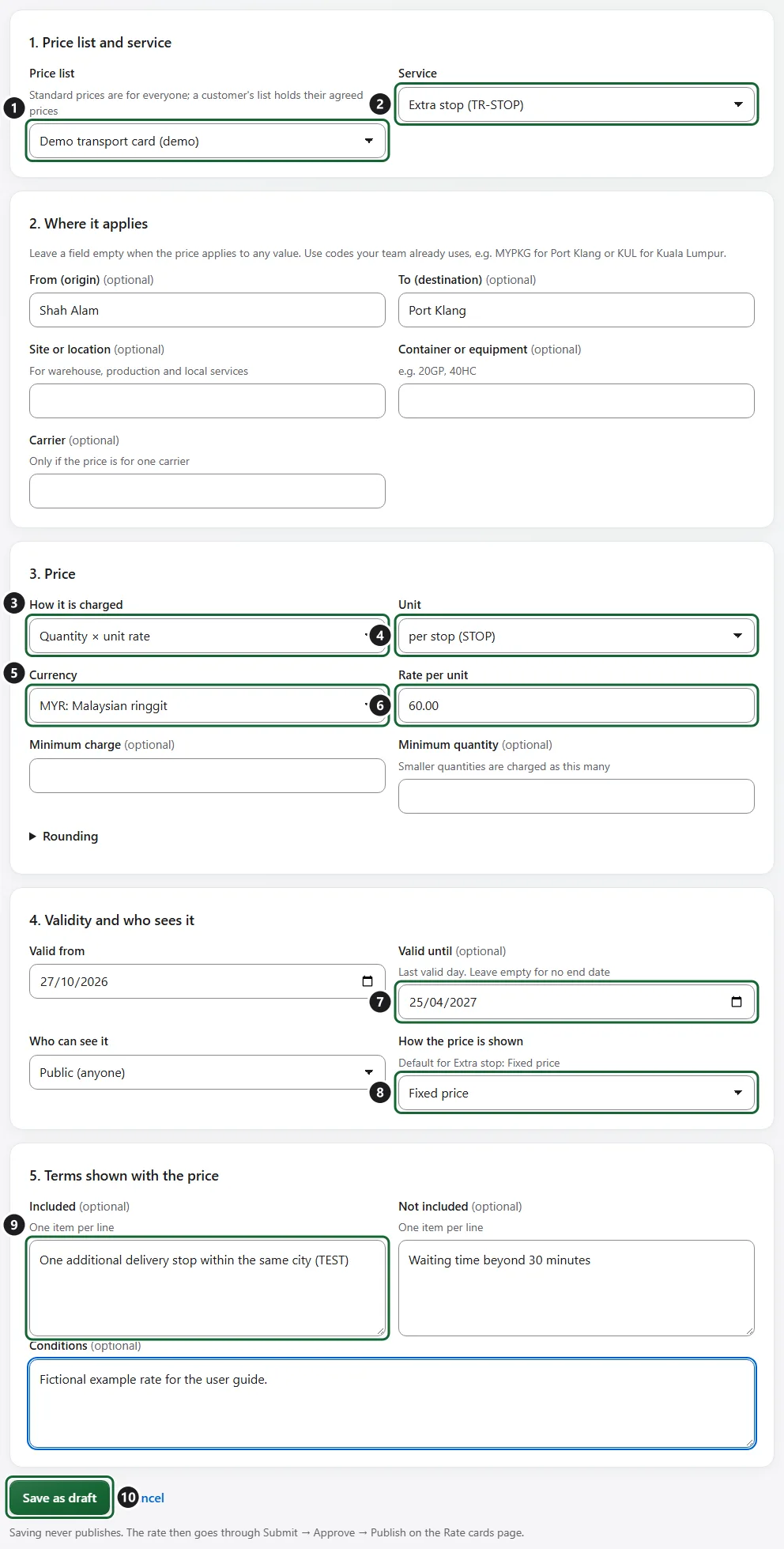
2. Many rates at once
CSV imports: template → fill in → save as CSV UTF-8 → Check file → Import n rows as drafts → approve and publish.
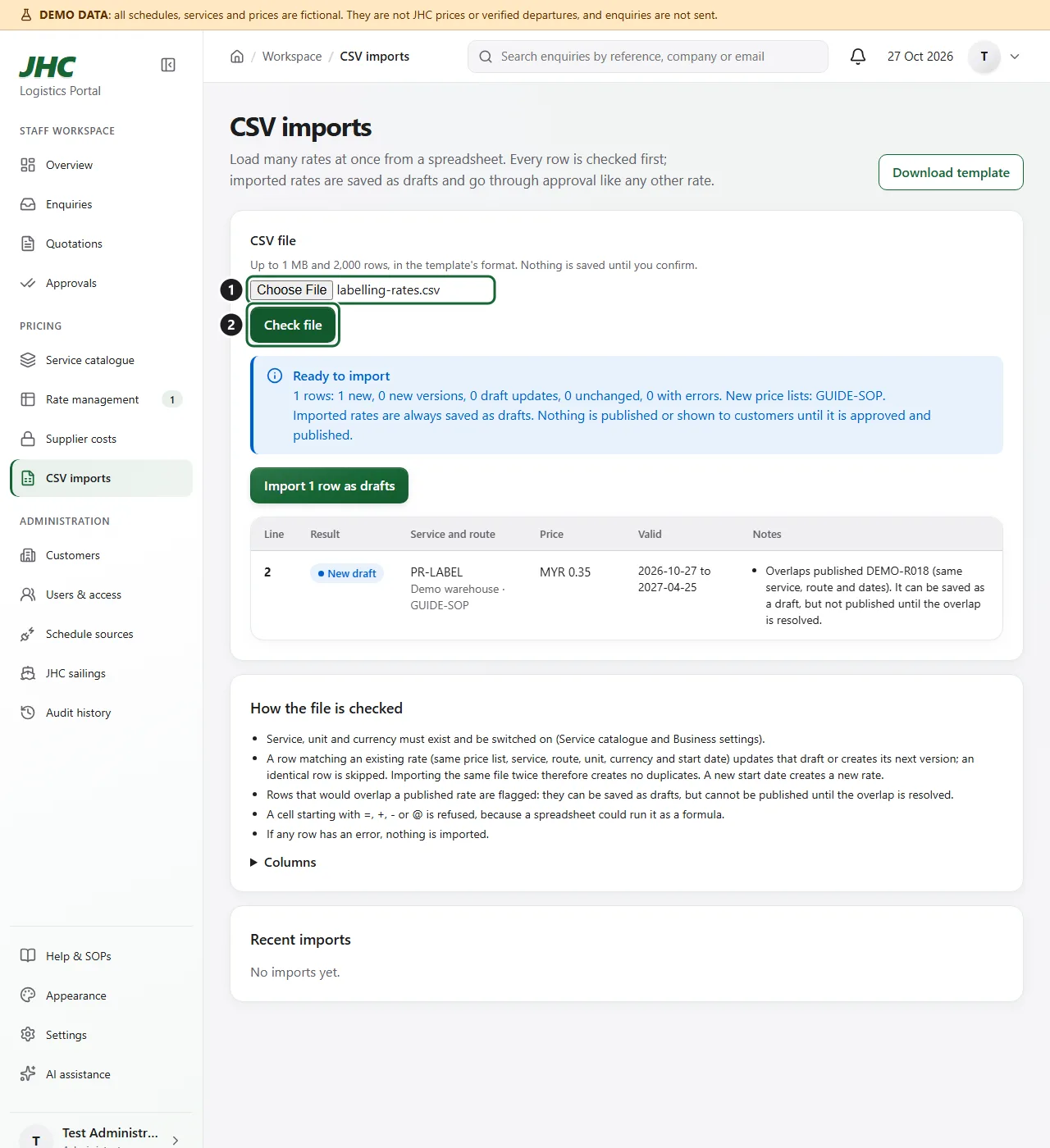
3. Remember
- Only Published and in-date rates reach customers and pricing.
- Publishing is refused if the rate changed since approval, has ended, or overlaps another published rate. The message names the other rate.
- Withdraw removes a wrong price at once.
- Supplier costs (Supplier costs) are never shown to customers.