| Reference | Version | Status | Prepared | Application | Owner / approver |
|---|---|---|---|---|---|
| JHC-QS-04 | 0.1 | Draft for review · Internal | 27 Oct 2026 | Portal 0.3.0 (4d7b861 + working tree) | To be assigned |
Revision 0.1 (27 Oct 2026): first issue. Full instructions: Administrator Manual (JHC-UG-03).
1. Give people access
- Staff: Users & access → Full name, Work email, tick Roles → Create account and link → pass the link privately.
- Customers: Customers → Add customer → open it → Full name, Email, Access → Create account and link.
- Lost password: New set-up link (staff); Create account and link again with the same email (customer user).
- Leaving: Deactivate (staff); Remove (customer user).
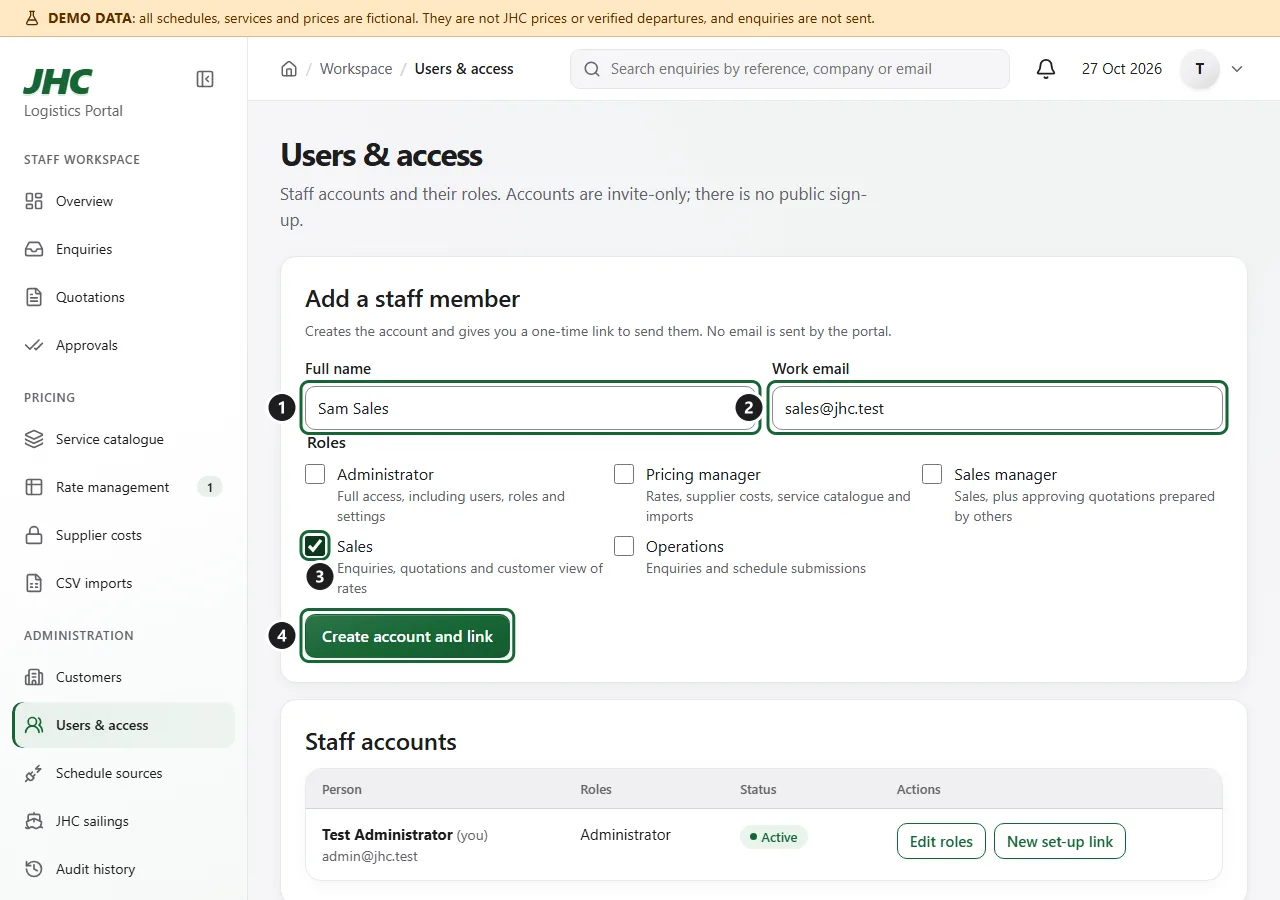
2. Settings
- Settings (Business settings): legal entities, payment terms, tax codes, exchange rates, public price types, privacy notice link.
- Appearance: organisation details, colours with preview → Save and apply… → Apply changes.
- AI assistance: switches, emergency stop, model, budget, limits.
- Schedule sources: switch providers, who can see data, Test connection.
- Audit history: review weekly.
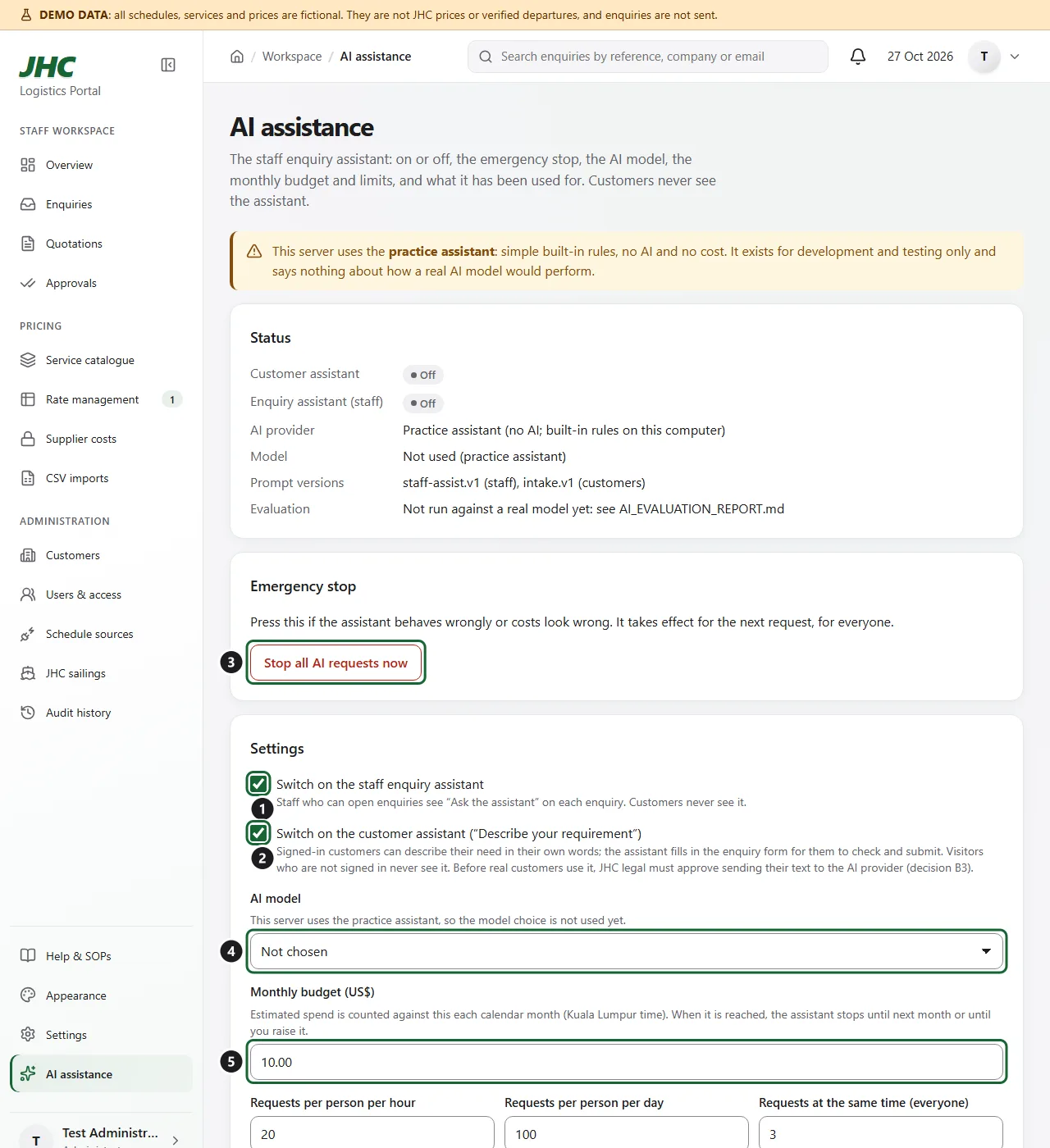
3. Outside the portal (technical owner)
Backups, restore test, keys, monitoring and updates: Administrator Manual Part B and PILOT_DEPLOYMENT.md. Never share passwords, links or keys.